ENG
ENG  NSQF Level: 4.0
 480 Hours
 32 students enrolled
Overview
Course in Designing and Publishing
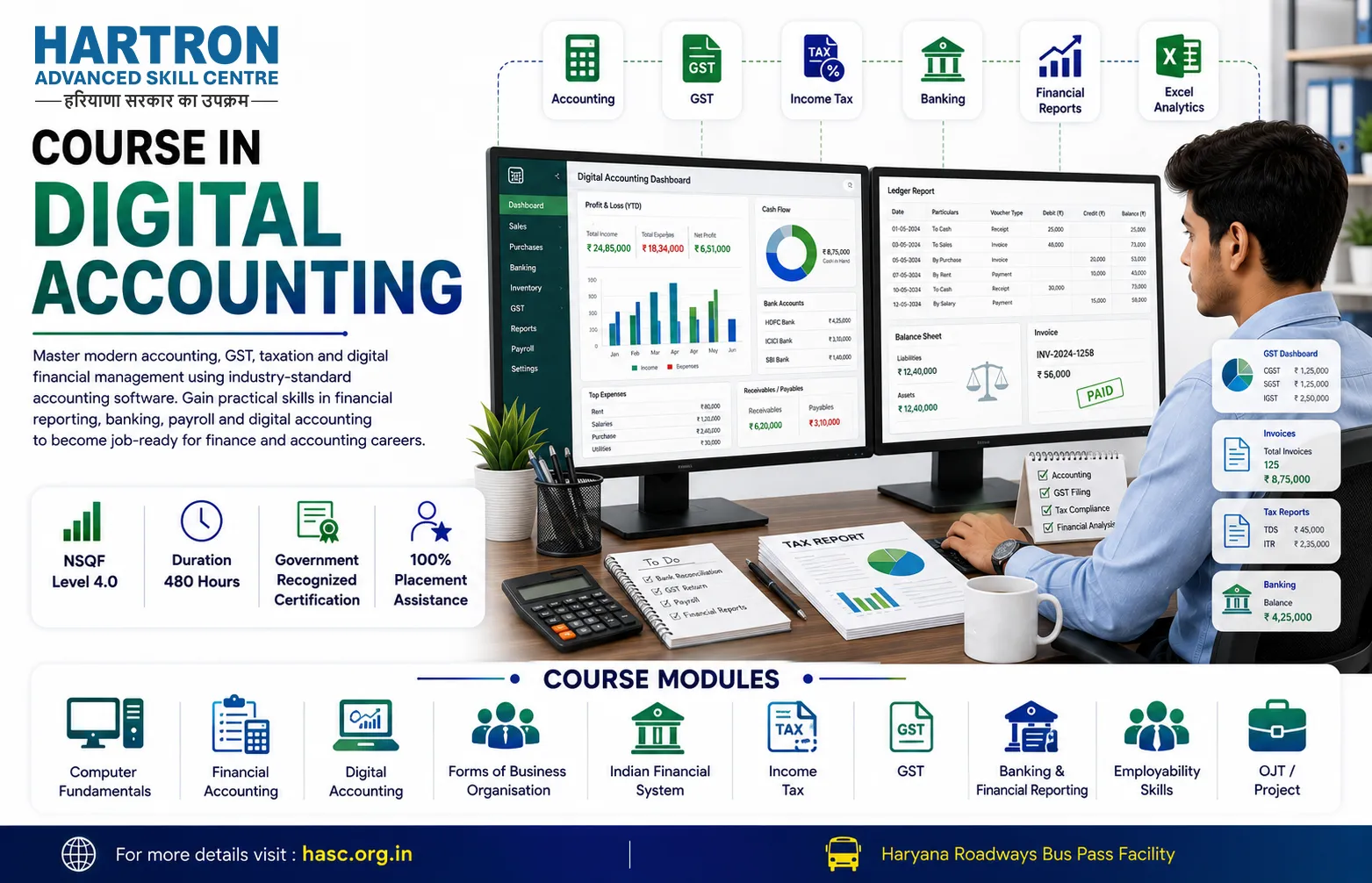
Course in Designing and Publishing is a comprehensive accounting and finance training program designed to develop practical skills in computerized accounting, taxation, GST compliance, income tax filing, financial statement analysis and accounting software applications. The course combines accounting fundamentals with modern digital tools used by businesses and organizations.
Students learn Tally ERP, GST return filing, income tax concepts, TDS, bookkeeping, financial reporting, business accounting and digital record management. The curriculum focuses on real-world accounting practices followed in commercial organizations, MSMEs, startups and corporate environments.
The course prepares learners for accounting, taxation and finance-related roles by providing hands-on experience with accounting software and compliance procedures required in today's digital economy.
What You Will Learn
- Computerized Accounting
- Tally ERP Operations
- GST Return Filing
- Income Tax Fundamentals
- TDS Compliance
- Financial Statement Preparation
- Bookkeeping & Ledger Management
- Digital Financial Documentation
- Business Accounting Practices
- Accounting Software Applications
Career Opportunities
After successful completion of the course, candidates can explore opportunities such as:
- Accounts Executive
- Accounts Assistant
- Tally Operator
- GST Executive
- Tax Assistant
- Bookkeeper
- Billing Executive
- Finance Assistant
- Payroll Assistant
- Accounts Payable Executive
- Accounts Receivable Executive
- Junior Accountant
Why Choose This Course?
- Industry-Oriented Accounting Curriculum
- Practical Tally ERP Training
- GST & Income Tax Compliance Skills
- Financial Statement Preparation
- Payroll & TDS Management
- Project-Based Learning
- Job-Oriented Training
Course Content
-
 Define Computer and its characteristics.
 -
Explain advantages and disadvantages of Computer.
-
Explain the history and generation of Computer.
-
Classify computers on the basis of size and data handling.
-
Describe the basic applications of computer.
-
Describe and identify the various components of computer.
-
Define computer memory and types of computer memory.
-
Explain computer hardware & software, input & output devices, types of software and differentiate between them.
-
Explain the Concepts of data and information and their difference.
-
Explain the number systems and conversion between them.
-
Define Machine Language & Programming languages and describe language translators (Compiler, Assembler and Interpreter).
-
Explain IECT and its applications.
-
Define operating system and types of operating system.
-
Explain advantages and disadvantages of GUI.
-
Explain the functions of operating system.
-
Explain the difference between GUI and CUI.
-
Introduction to Digital Presentation
-
Secure Web Access and Communication
-
Cloud Storage and Online Collaboration
-
Define windows, its features and its components.
-
Define and use file, folders, various icons & Window Accessories options.
-
Introduction to Digital Presentation
-
Create/ delete/ rename/ move/ hide and organize files and folders.
-
Identify and use various options in control panel such as add/ remove devices, programs, fonts, user account etc.
-
Personalize Window desktop and improve performance of computer using utility tools.
-
Identify the common computer issues and solve them.
-
Use the basic functionality of MS Word to open, save, close and print at document.
-
Use formatting and page layout features in MS Word.
-
Use MS Word to insert tables, graphics, header and footer.
-
Use mail merge feature of MS Office.
-
Create Excel sheet and enter and edit data in a cell.
-
Open, close, save and print excel sheet.
-
Insert simple formulas & functions (add, subtract, multiply, divide, count)
-
Insert, delete & adjust cells, columns & rows, chart and graphics in a sheet.
-
Create power point presentation and insert slides, text graphics, animation & transition.
-
Use design layouts and templates for presentations.
-
Use print setup and layout to print presentation.
-
Describe Keyboard basics and correct way of typing.
-
Describe typing with various keys and using shortcut keys.
-
Define Network, types of network. Explain Client and Server model.
-
Define topology and explain types of network topologies.
-
Explain the different types of network communication media.
-
Explain the terms Domain Name Server, Web Browser, search Engine, Uniform Resource Locator, e-mail etc.
-
Search, navigate and and download information from internet.
-
Create and use email account for composing, replying, forwarding and searching mails.
-
Describe connecting devices through Bluetooth, WiFi, Mobile hotspot etc.
-
Explain the concept of Viruses, Malwares, e-mail spam and other privacy issues related online shopping.
-
Explain Safety measures of safe browsing, antivirus, firewalls etc.
-
Define cloud and cloud storage.
-
Explain the different types of cloud storage.
-
Explain cloud service provider with some example.
-
Explain Benefits of online storage over local storage and portable storage
-
Introduce HTML and its uses
-
Describe structure of HTML web page
-
Identify and define HTML tags, elements and attributes
-
Create webpage and format its content using various tags and attributes
-
Define and use lists, tables and links in webpage
-
Attach multimedia (pictures, sound and video) in webpage
-
Define CSS and its application in webpage
-
Use basic CSS rule types: font-size, color, font-family, background-color and text-align
-
Describe simple selector types: element, ID and class
-
Design layout of webpage using CSS
-
Introduce JavaScript and its application in webpage creation
-
Define and use data types and operators
-
Demonstrate use of conditional statements
-
Define and call functions to perform particular tasks
-
Describe and use Events
-
Describe and use JavaScript form validation
-
Describe JavaScript Object and Browser Object Model
-
Describe Document Object Model
-
Explain Desktop Publishing and its application
-
Identify popular DTP software and its uses
-
Identify and differentiate between DTP content types
-
List and define key elements for Desktop Publishing: Images & Graphics, Layout, Typography, Color, Page Elements, Templates, Output Settings, Proofreading and Quality Control
-
Define and use graphic designing elements: Line, Color, Shape, Size & Scale, Space, Texture and Typography
-
Explain the principles of Graphic Designing
-
Explain popular digital tools and software
-
Identify and differentiate various types of Graphic Designs
-
Explain the uses of CorelDraw
-
Define various tools in CorelDraw and their uses
-
Draw, edit, format and develop graphic designs using CorelDraw application software
-
Differentiate between Photoshop and CorelDraw
-
Describe the functions of Photoshop
-
Demonstrate the ability to use a range of tools in Photoshop
-
Describe the working of Layers, Masks, Effects and Filters
-
Explain the uses of Adobe Illustrator
-
Define various tools in Adobe Illustrator and draw shapes and objects
-
Work with colors, text, layers and effects in Illustrator
-
Publish your work
-
Work with tools, text and type, styles and graphics
-
Create and use tables, colors and effects; add hyperlinks; print and export documents
-
Explain the importance of Typography
-
Apply various font styles and alignments for effective visual display
-
Differentiate between various image formats
-
Explain the importance of image resolution for digital and print media
-
Apply appropriate image formats and resolution
-
Define and create vector graphics
-
Explain and apply image compression techniques
-
Explain color models and schemes
-
Set page layout, orientation and margins
-
Explain and apply proofreading techniques
-
Explain various prepress techniques
-
How does Illustrator differ from other Adobe software like Photoshop and CorelDraw?
-
Communication Skills
-
Teamwork
-
Problem Solving
-
Interview Preparation
-
Professional Ethics
-
Workplace Readiness

 NSQF Level: 4.0
 Duration: 480 Hours
 Government Recognized Certificate
 Certificate of Completion
 12th Pass or Equivalent